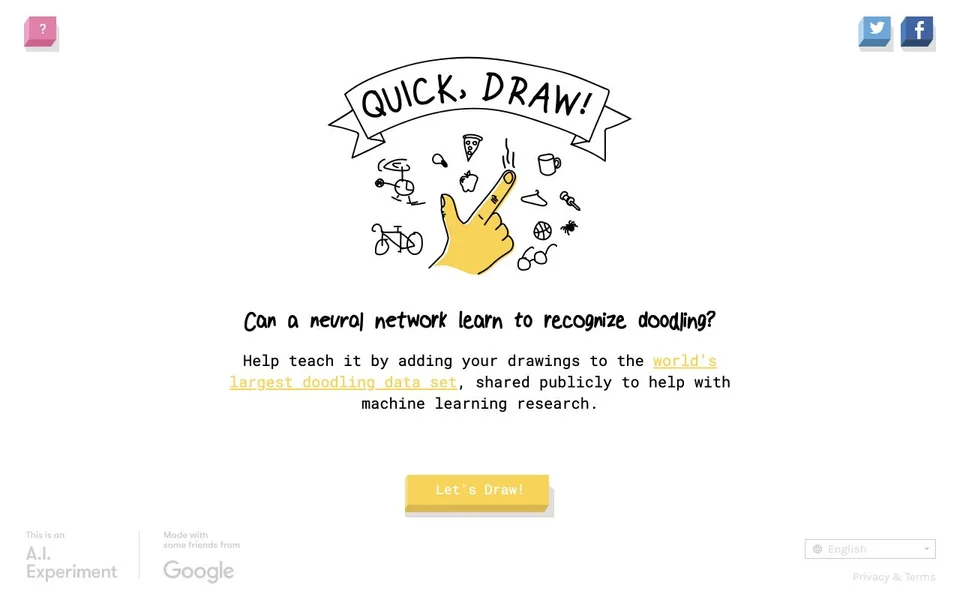
Open Google’s official Quick, Draw! page, choose Let’s Draw!, read the requested object and sketch it within the displayed 20-second limit. A neural network tries to identify the drawing. Aim to communicate the idea quickly rather than produce a polished picture. The steps below follow Google’s public instructions; the drawing exercises are our suggestions, not a guarantee of recognition.
01 / How do I start my first drawing?
Begin at the official Google game rather than a similarly named drawing site. Read the prompt before starting so you can decide which feature would separate the object from something similar.
- Choose Let’s Draw! on the official game page.
- Read the requested object, then choose Got It! when you are ready.
- Draw the most recognizable outline or feature first, leaving decoration until later.
- Watch the guesses as you draw. If they describe a different object, add a distinguishing feature instead of filling the canvas with detail.
- Read the result to see whether the network recognized the sketch and which other objects it considered.
02 / Why does the AI guess the wrong thing?
Google says its recognizer does not always succeed. A drawing can be understandable to a person and still be missed. Recognition is a model’s interpretation, rather than a judgment of artistic skill, so treat a missed answer as useful feedback about what might have been ambiguous.
For your next attempt, change one thing. If you started with small details, try the overall silhouette first. If you crowded the page, leave more space around the main shape. If a guess was close, think about the feature that separates the two objects. These are practice exercises rather than claims about the network’s internal rules.
03 / How can I practise without copying an answer?
Set a small goal: make one object readable with fewer marks. Compare two attempts by asking what you drew first, what you left out and whether somebody could name the sketch without seeing its prompt. Resist adding lines simply because the first guess was wrong; a clear decision about the main shape is often a better exercise.
Try describing your intended drawing in one sentence before starting. That sentence is a planning aid for you, not something you enter into the game. It can help separate the essential shape from details you would only add to make a finished illustration. There is no universal winning doodle promised here.
04 / Are my sketches just a private drawing session?
No. Google’s data page explains that player drawings contribute to a publicly shared research dataset, and its repository documents access to that data. Avoid drawing personal information and read the linked privacy terms before playing. A simple game interface does not mean your input is a private sketchpad.
The reviewed public entry displayed a direct drawing start control without a purchase prompt. That observation is not a promise of permanent access terms or compatibility with every device. The image above is the official homepage capture, not a successful drawing demonstration. For another short puzzle, use the related game and category links below.
Explore these game categories
Source trail
- Google’s official Quick, Draw! game and instructions ↗ · Evidence checked 2026-11-11
- Google Creative Lab experiment description ↗ · Evidence checked 2026-11-11
- Google’s explanation of the public drawing dataset ↗ · Evidence checked 2026-11-11
- Google Creative Lab dataset documentation ↗ · Evidence checked 2026-11-11
Editorial note: all references to specific games are based on the publishers’ documented features, not personal playtest claims. See each listing for its source links and access limitations.